Get an OpenRouter key and make your first call
Create an account, generate an API key, fire off your first call with curl and an SDK - and understand what's in the response.
Video
Video coming soon
A companion video walkthrough will appear here shortly.
Local models are great for learning, but the moment you want longer contexts, stronger reasoning, or native tool-use, a cloud model is hard to beat. To get started we use OpenRouter - not because it has the best model, but because it puts the lowest possible hurdle in front of your first own call.
Three reasons:
- One key, many models. OpenRouter is a router, not a model provider. Behind the same address sit Claude, GPT, Gemini, Llama, Qwen and hundreds more. You switch models by changing a string - not by opening another account.
- No business verification. Email, password, confirmation link, done. Going straight to Anthropic or OpenAI, you may need a phone number and a payment method before anything happens at all.
- Free models. Some models carry a
:freesuffix and cost nothing. You can work through this whole course without ever topping up.
There's also a technical reason that saves you a lot of work later: OpenRouter speaks /v1/chat/completions, the OpenAI API dialect. Practically every SDK and every agent framework understands that dialect - and our own code here on building-agents.com runs the very same path.
In this tutorial:
- Create an account and generate your first API key
- Put the key in
.env - Fire off your first call with
curland with an SDK - Read the response -
content,finish_reason,usage - Store the key in your account here, so the experiments run on your access
Step 1 - Create an account
Sign up at openrouter.ai/sign-up. Either via GitHub/Google, or the classic way with email and password:
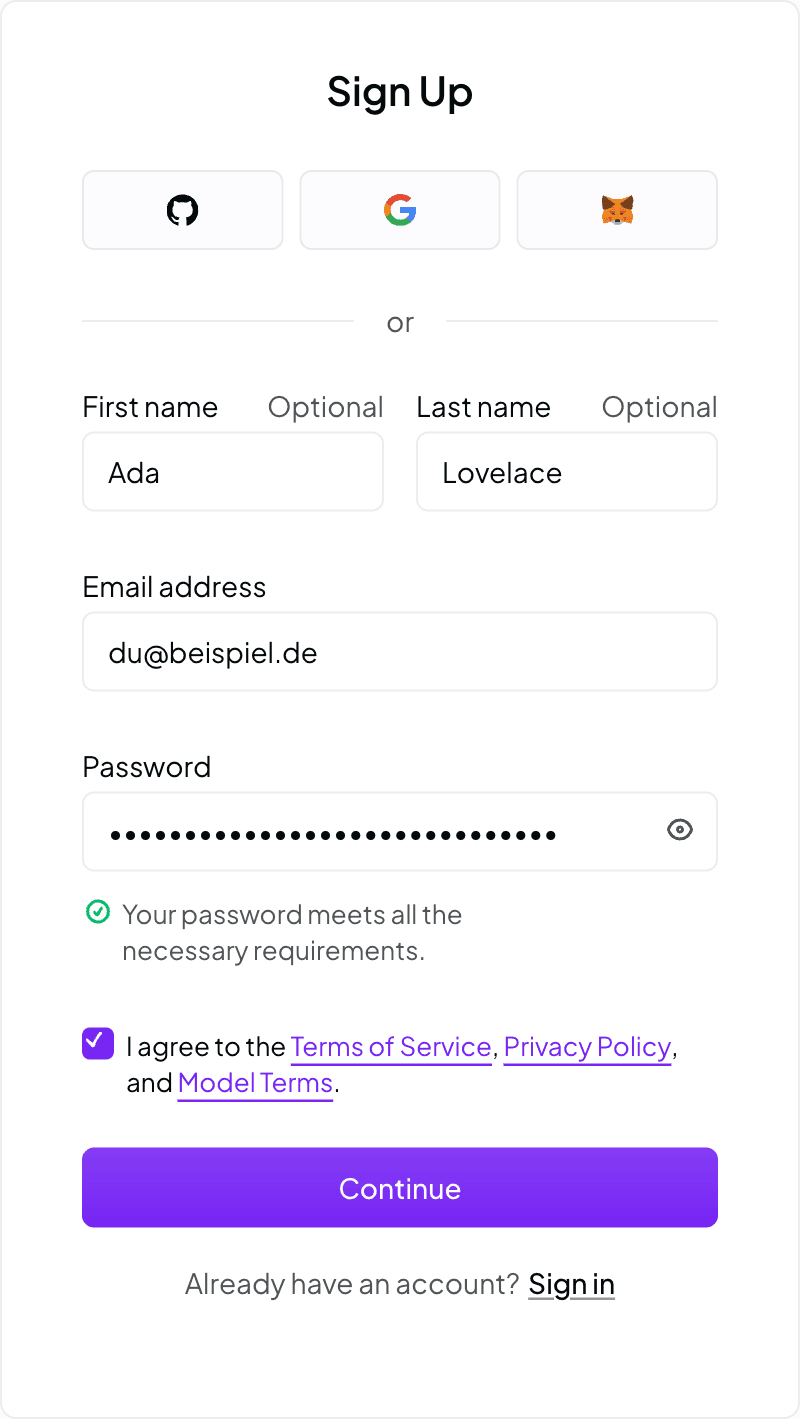
A confirmation email with a link follows. One click and you're in. No phone number, no credit card, no company details.
Step 2 - Generate and secure your first API key
Right after confirmation, OpenRouter sets up a workspace for you including a first key. You can create further keys any time under Settings → API Keys → "New Key".
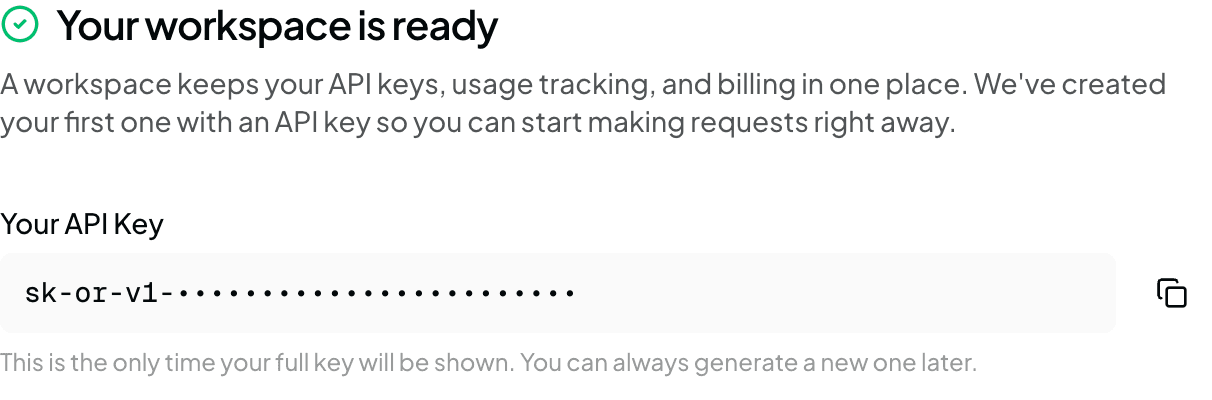
The key starts with sk-or-v1-…. Copy it right away - you will not see the full string a second time. Later the UI shows only the start and the end (sk-or-v1-e99…184), just enough to tell your keys apart.
Step 3 - Put the key in .env
In the project root:
These four variable names are exactly the ones this project reads (see .env.example). LLM_PROVIDER=openai-compatible tells the code: speak the OpenAI dialect against the address in LLM_BASE_URL. The very same switch also points at a self-hosted vLLM server - as far as the code is concerned, OpenRouter is just another /v1 endpoint.
You pick the model via LLM_MODEL. The notation is always provider/model, and a trailing :free marks the free variant. The full list lives at openrouter.ai/models.
Step 4 - Your first call
Two paths to the same result. Start with curl: no project, no dependencies, and you see raw JSON.
Once that works, the same thing with an SDK. You do not need an OpenRouter SDK - the official OpenAI SDK is enough, you just point it at a different base URL:
Create index.mjs:
Run it:
Step 5 - Read the response
What comes back is not a string but a structured object. Trimmed to the essentials:
Three fields worth memorizing:
choices[0].message.contentis the actual answer.choicesis an array because the API can in principle return several alternatives - in practice there's exactly one element, unless you ask forn > 1.finish_reasontells you why the model stopped.stop= done.length= truncated atmax_tokens.tool_calls= the model wants to use a tool. This is critical later in the agent loop: it decides whether you go around once more.usageis your bill.prompt_tokens× input price +completion_tokens× output price. OpenRouter addscoston top - on a:freemodel it reads0.
If you later switch straight to Anthropic
The Anthropic API speaks its own dialect. Those same three fields are named differently there, and one of them is structurally different:
| What you need | OpenAI dialect (OpenRouter) | Anthropic dialect |
|---|---|---|
| The text | choices[0].message.content (string) | content[0].text - content is an array of blocks |
| Stop reason | finish_reason: stop | length | tool_calls | stop_reason: end_turn | max_tokens | tool_use |
| Consumption | usage.prompt_tokens / completion_tokens | usage.input_tokens / output_tokens |
The important difference is the top row: with Anthropic, content is always an array. For plain text it holds a single text block; with tool-use, tool_use blocks join it. Treat content like a string and you'll fall over precisely when things get interesting.
Step 6 - Store the key in your account here
To make the experiments on this site run on your access instead of ours, you can save your key once in your account: Account → your own LLM key. Pick provider "OpenRouter", paste the key, save.
From then on, every call you trigger in the building blocks and labs goes out with your key - your quota, your model choice, your bill. The key is stored encrypted and never shown in the clear again; the UI only displays the last few characters. Delete it and calls fall back to our server key.
Cost and limits
With no credit, the :free models are open to you, though with noticeable rate limits - they share one pool of capacity with every other thrifty user. For the exercises here that's plenty.
The moment you top up (the minimum is a few dollars), all models open up and the limits rise considerably. Billing is per token, no subscription, in the same ballpark as going to the provider directly: a small model costs fractions of a cent per learning request, a large reasoning model can cost a hundred times that. Under Activity you see every single call with its price - the most honest cost control you can get.
Common pitfalls
401 Unauthorized - key copied wrong, or the environment variable isn't set in your shell. Check with echo $LLM_API_KEY whether anything arrives at all. Also watch for the Bearer prefix in front of the key in the Authorization header.
402 "insufficient credits" - you're calling a paid model without credit. Either take a :free model or top up. Careful: many models exist in both variants, distinguished only by the :free suffix.
429 rate limit - normal on :free models when many people hit them at once. Wait a moment, retry, or take a different free model. The error message names the provider that's throttling.
"Model not found" - model slugs change, and providers retire models. Check the spelling against openrouter.ai/models; often a :free is missing, or there's one too many. In that case the error message usually suggests the correct slug outright.
Downloads & cheat sheets
No downloads yet
Cheat sheets and templates will land here shortly after publication.
Discussion· no posts yet
Our comment agent reads every new post, says thanks or recommends related content.
Be the first voice - what do you think?
Sign in to join the discussion.
Sign in